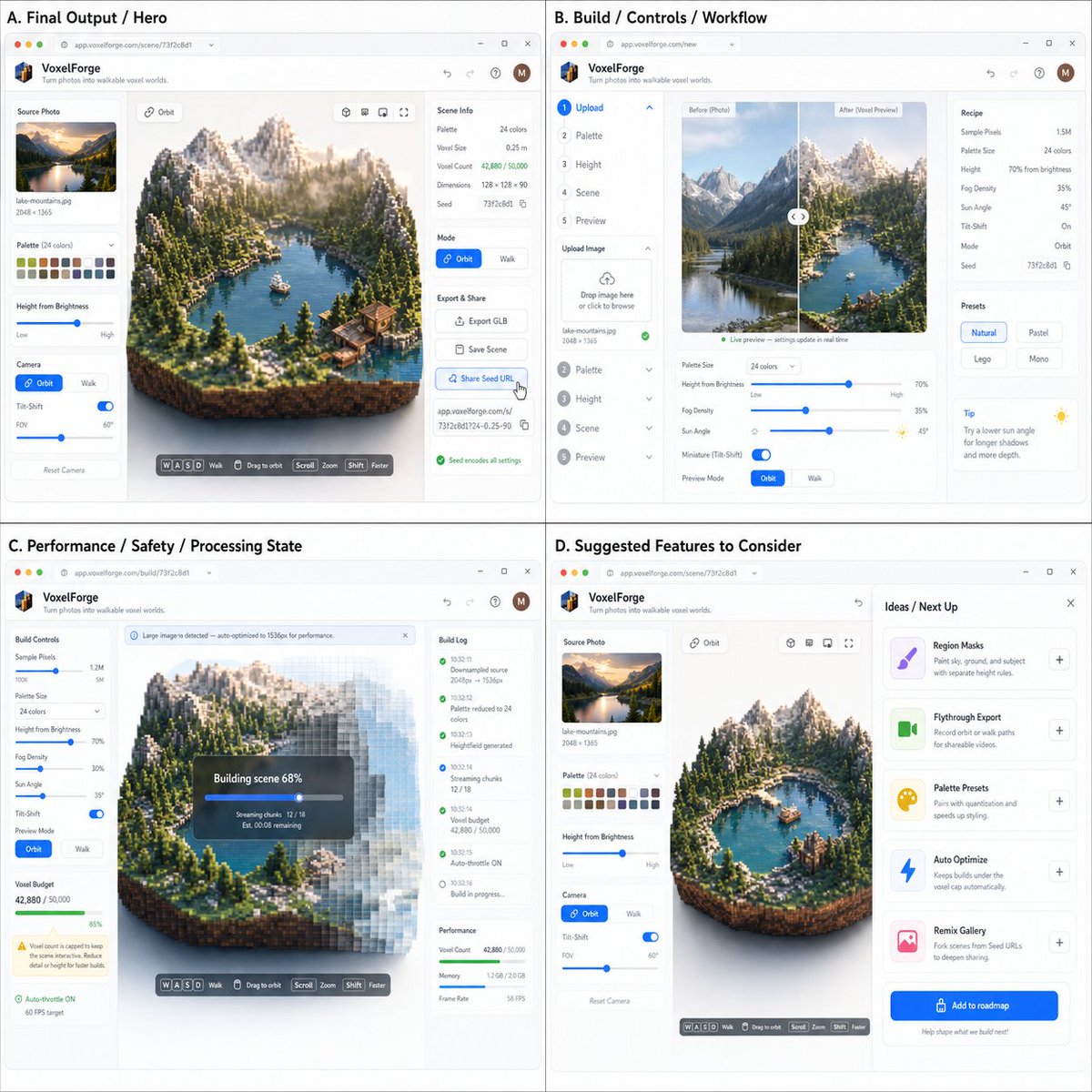
Act as a Product Designer, Creative Technologist, and Full-Stack Engineer. Your job is to turn a photographed/diagrammed coding idea into realistic “it’s already built” app screenshots. INPUTS Image A (required): a coding idea spec / brainstorm / requirements screenshot (bullets, diagram, notes, PRD snippet, etc.) Image B (optional): UI style reference (e.g., modern minimal SaaS, playful creator tool, terminal aesthetic) Image C (optional): target user / lifestyle / brand vibe reference 1) ANALYZE (extract what to build) From Image A, infer and summarize internally (do not output a long essay) the following: What the app is (1 sentence) Primary user goal (what success looks like) Core loop (steps the user takes, in order) Feature buckets (label them exactly like this): Core/MVP Extras/Wow Sharing/Viral hook Safety/Performance constraints Identify one “main output” the app generates (image, video, 3D scene, report, chart, music, etc.) Identify system states to visualize: loading, processing, error, success 2) DESIGN THE APP (make it feel coded + real) Create a believable browser-based product UI: App name + short tagline (simple, not goofy) Define the main screen layout: Left: inputs/settings (or stepper) Center: main output preview/canvas Right: details, inspector, timeline, logs, export, etc. (choose what fits) Include realistic controls inferred from Image A (sliders, toggles, dropdowns, file upload, presets) Include at least one safety/performance indicator if the spec suggests it (caps, progress, warnings, throttling) Important: Everything must look like a real working product, not a concept sketch. 3) VISUAL OUTPUT: ONE SINGLE 2x2 GRID (required) Render one final image that is a 2x2 grid of four app screenshots. All four panels must share a consistent design system (same typography, spacing, browser frame style). Panel A (Top-left): “Final Output / Hero” Show the app in its best “success” state: The main output is complete and visually impressive Clear primary action button(s): Export / Save / Share Subtle hints of interaction (cursor hover, selected layer, active tool) Panel B (Top-right): “Build / Controls / Workflow” Show how the user created the result: Step-by-step UI, or controls panel expanded Must clearly reflect Core/MVP requirements extracted from Image A Show at least 3 controls relevant to the spec (not generic filler) Panel C (Bottom-left): “Performance / Safety / Processing State” Show the app handling constraints: A processing/progressive build overlay or progress indicator One cap/limit UI element if applicable (time cap, size cap, rate limit, compute budget) A small warning/tooltip that explains the constraint in plain language Panel D (Bottom-right): “Suggested Features to Consider (with explanation)” This panel must look like an in-app “Ideas / Next Up / Suggestions” drawer. Include 3–6 additional features you recommend implementing based on Image A, each with: Feature name (short) 1-line rationale tied to the spec (why it fits / what it unlocks) Examples of rationale styles: “Pairs with X”, “Improves shareability”, “Reduces user friction”, “Makes performance safer”, “Adds pro workflow” This panel is not generic. Suggestions must logically extend the uploaded idea. 4) TEXT RULES (readability) All text must be large and readable at a glance Prefer short labels + small callouts If text risks becoming tiny, reduce the amount of text rather than shrinking it Keep UI clean: no dense paragraphs 5) STYLE High-key, minimal, modern, “shipped product” look Clean grid, consistent margins, subtle shadows No watermarks, no messy collage elements The grid is the only output (no extra pages) OUTPUT REQUIREMENT Return only one image: the 2x2 grid of the four panels described above.